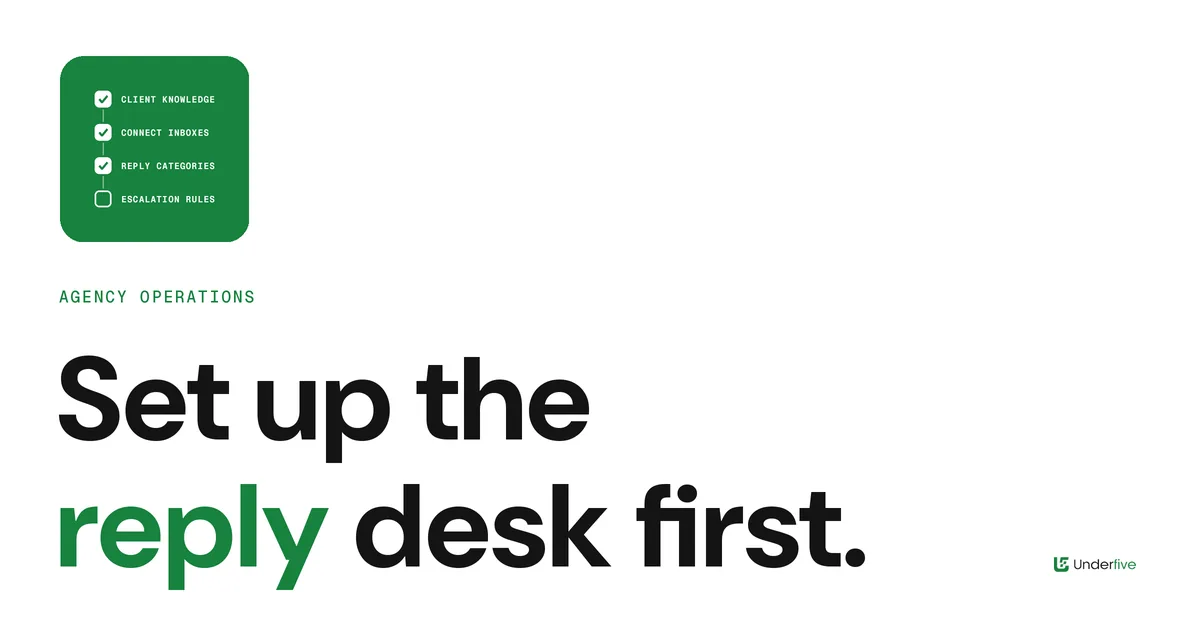
Client Reply Desk Onboarding: A Checklist for Agencies Taking Over a New Client’s Cold Email Replies
Agencies spend weeks onboarding a client’s campaigns: ICP, lists, copy, domains, warmup. Then replies start arriving, and the reply side gets set up on the fly.
That is backwards. Campaigns create the opportunity; replies decide whether it turns into a meeting. When a new client’s first warm replies get a generic answer, a wrong calendar link, or no answer until the next morning, the client notices, and the first month of the relationship is spent explaining.
This is the checklist we would use to onboard a new client onto a reply desk, whether the replies are handled by your team, by an AI inbox agent, or by both. Work through it before the first campaign sends.
Phase 1: Collect what only the client knows
Your reply desk will be answering as the client. Before anyone writes a single response, collect:
- The offer, in the client’s words. What they sell, who it is for, and the one-sentence version their sales team actually uses.
- Approved answers to the common questions. Pricing approach, integrations, contract terms, implementation time. If the client will not share an answer, write down that the question gets escalated.
- Proof the client is happy to have quoted. Named customers, case studies and results only if the client confirms they can be used in replies.
- Topics that are off-limits. Competitors, roadmap, legal or security questions that must go to a named person.
- Tone examples. A few real emails from the client’s best salesperson are worth more than a brand guidelines PDF. Our guide to training an AI reply agent to match brand voice covers how to use them.
Phase 2: Connect every inbox the client’s campaigns use
A reply desk only works if it sees every reply. List every mailbox and LinkedIn account sending for this client, including the ones added mid-campaign, and connect them all to the same place before launch.
Two things go wrong here regularly:
- Mailboxes added later never get connected. Make “connect to the reply desk” part of the checklist for adding any new sending account, not just the first batch.
- Replies land in a separate inbox per platform. If the client runs email in one sending tool and LinkedIn in another, the desk needs both in one view. A unified inbox for LinkedIn and email replies prevents the same prospect from getting two different answers.
Plan staffing at the same time. How many inboxes one person can realistically cover depends on reply volume, not mailbox count; how many mailboxes one inbox manager can handle walks through the math.
Phase 3: Agree the reply categories and what happens to each
Every client needs the same short list of categories, with a clear action for each. Agree it with the client in writing:
| Reply category | Default action | Who acts |
|---|---|---|
| Interested, wants a meeting | Send booking link or propose times | Reply desk |
| Interested, has questions | Answer from approved answers, then offer a meeting | Reply desk, escalate if not covered |
| Not now, try later | Acknowledge and set a follow-up date | Reply desk |
| Referral to a colleague | Thank, then contact the referred person with context | Reply desk |
| Objection | Respond with the approved handling, once | Reply desk, escalate if it continues |
| Unsubscribe or opt-out | Remove immediately, no sales reply | Reply desk |
| Out of office | Log return date and pause | Automated |
| Hostile or legal | Do not reply, escalate | Client or account lead |
Our reply categories and triage workflow covers each category in more detail. Opt-outs deserve their own line in the agreement, because they are a compliance obligation rather than a sales decision; see how AI reply agents should handle unsubscribe and opt-out requests.
Phase 4: Write the escalation rules before you need them
Escalation is where agency reply desks lose client trust. Either everything gets escalated and the client feels they are doing the work, or nothing does and a sensitive reply goes out without them.
Agree:
- What always escalates. Large or strategic accounts, existing customers, legal or security questions, and anything on the off-limits list.
- Who it escalates to. A named person on the client side, with a backup for when they are away.
- How it escalates. A shared channel works better than email forwards. Slack notifications for cold email replies covers a clean setup.
- How fast the client responds. If escalated replies wait days for an answer, the desk’s speed is wasted.
If an AI inbox agent is drafting or sending, decide how much it can do on its own for this client. AI inbox agent autonomy levels lays out a ladder from draft-only to fully autonomous, and AI reply agent human escalation rules covers which situations should always reach a person. New clients usually start lower on the ladder and move up once the client has seen enough replies to trust it.
Phase 5: Set up the booking path end to end
The goal of most replies is a meeting, so test the path before launch:
- Which calendar links go to which rep, and whether the client uses round-robin
- Which meeting length and title the client wants
- What information the client’s sales team needs in the invite: the original email, the reply, the account context
- Who confirms the meeting and who sends the reminder
Then book a test meeting through the real flow. Wrong time zones and expired links are much cheaper to find before a real prospect does.
Phase 6: Agree the response-time commitment
Clients care about speed even if they never say so. Agree what “fast” means for each category and staffing window, including evenings and weekends, and put it in the client agreement. Our post on cold email reply SLAs covers how to set targets your desk can actually hold. Underfive is built around answering replies in under five minutes, but whatever tool you use, the commitment you write down should match the coverage you actually have.
Phase 7: Decide what the client sees
Transparency is what makes a reply desk feel like part of the client’s team rather than a black box. Agree:
- Whether the client has live access to the inbox or receives a summary
- What the weekly report includes: replies by category, meetings booked, escalations and how they were resolved
- How feedback on reply quality flows back to the desk
Phase 8: Run a supervised first week
For the first week, review every outgoing reply before or shortly after it is sent, even if the desk will eventually run on its own. Note every correction, and turn the patterns into updated approved answers or escalation rules. At the end of the week, walk the client through what changed. That conversation does more for retention than any report.
The checklist
Before the first campaign sends for a new client:
- Offer, approved answers, approved proof and off-limits topics collected
- Tone examples gathered and loaded into the reply process
- Every sending mailbox and LinkedIn account connected to one inbox
- Reply categories and actions agreed in writing
- Opt-out handling agreed and tested
- Escalation contacts, channel and response expectations agreed
- AI autonomy level chosen for this client
- Booking path tested end to end
- Response-time commitment written into the agreement
- Reporting and feedback loop agreed
- First-week supervision scheduled
Where Underfive fits
Underfive is a unified inbox with AI inbox agents built for this exact job: every client’s mailboxes and LinkedIn accounts in one place, replies sorted by category, and responses drafted or sent in the client’s voice with human escalation where you set it. If you run reply handling for multiple clients, see how Underfive works for agencies or book a demo.