The Slack Approval Workflow for AI Reply Drafts: A Reviewer’s Playbook
Letting an AI inbox agent draft your cold email replies is the easy part. The hard part is the step in the middle: a person looking at the draft in Slack and deciding whether it goes out. Done well, approval adds a few seconds per reply and catches the mistakes that would cost you a deal. Done badly, it becomes a queue nobody owns, drafts go stale, and the speed you bought with AI disappears.
This playbook is for the people who sit in that middle step: founders, SDR leads, agency account managers and anyone else who taps “Approve” on AI-drafted replies. It covers how to set up the channel, who should review what, what to check in each draft, when to edit and when to reject, and how to keep the whole thing moving.
Why approve in Slack at all
Most reply tools assume someone is sitting in a shared inbox. In practice, the people best placed to judge a reply are in Slack all day and in the inbox almost never. Sending each draft to Slack puts the decision where the decision-maker already is.
It also changes the shape of the job. Instead of “go read every reply in the inbox,” the reviewer gets “here is a reply, here is what the agent wants to send, yes or no.” That is a smaller, faster decision, and it is the reason a human-in-the-loop setup can stay quick.
The risk is that Slack is noisy. An approval request that scrolls past under a dozen other messages is an approval that does not happen. Everything below is about stopping that.
Step 1: Set up the channel properly
Give approvals their own channel. Do not mix drafts into a general sales channel. A dedicated channel, such as #reply-approvals, means every message in it is something that needs a decision.
One channel per client if you are an agency. Agencies running outbound for several clients should keep each client’s drafts separate. It avoids approving a reply in the wrong voice, and it lets you invite a client’s own reviewer into their channel only.
Keep humans chatting elsewhere. If reviewers start discussing a draft, move the discussion into the message thread. The main channel should read as a clean list of pending and finished decisions.
Decide on notifications. Reviewers should get notified for new drafts in this channel, even if they mute everything else. If the channel is muted, the workflow is broken.
Step 2: Decide who reviews what
Not every draft needs the same reviewer. Splitting by reply type keeps senior people focused on the replies that matter.
| Reply type | Suggested reviewer | Why |
|---|---|---|
| Interested, wants a meeting | SDR or account manager | Speed matters most; facts are simple |
| Question about pricing or terms | Founder, AE or account lead | Wrong numbers are hard to walk back |
| Objection or “we use a competitor” | Experienced seller | Tone and positioning matter |
| Referral to another person | SDR | Mostly routing and a polite intro |
| Out of office, auto-reply | Often no approval needed | Low risk, can follow fixed rules |
| Angry, legal or unsubscribe | Named owner, always | Needs care and a clean record |
Write the split down and pin it in the channel. When a reviewer is unsure whether a draft is theirs, the answer should be one glance away.
Have a backup for every role. People go on holiday, get sick and sit in long meetings. Name a second reviewer for each reply type so drafts never wait on one person.
Step 3: What to check in every draft
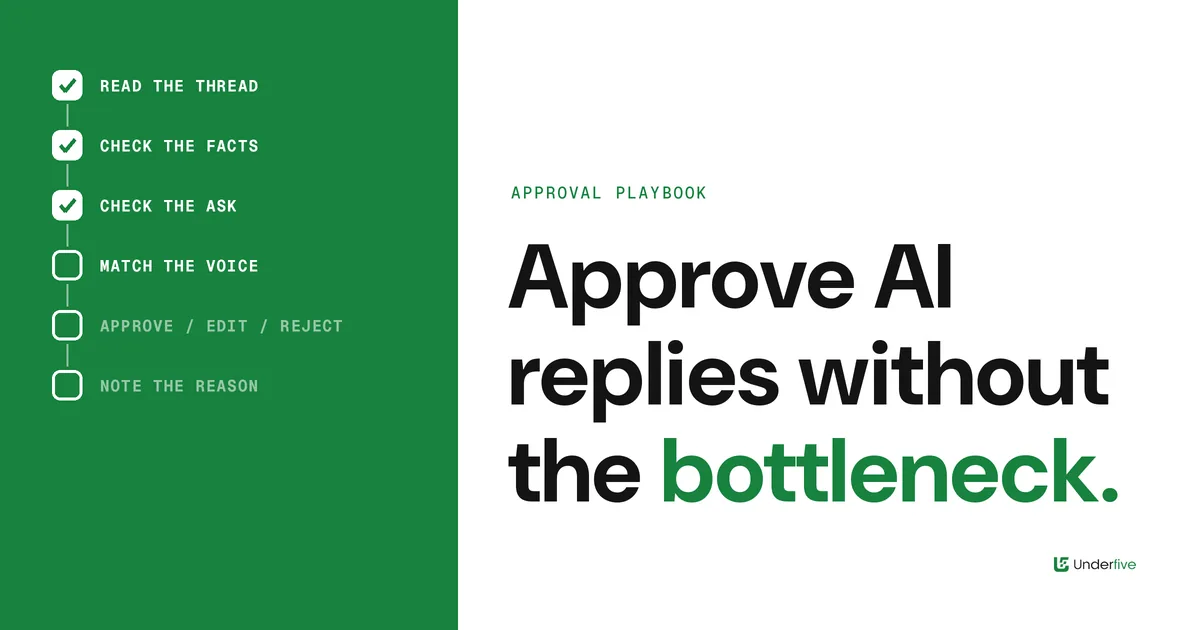
A reviewer does not need to rewrite the reply. They need to answer a short set of questions, in order, and approve if all of them pass.
- Read the prospect’s message first. Before reading the draft, read what the prospect actually said. It is easy to approve a well-written reply to a question nobody asked.
- Does the draft answer the real question? If the prospect asked two things, the draft should address both. Missing half a question is the most common miss.
- Are the facts right? Prices, features, integrations, dates and names. Anything factual should match your approved answers. If it does not, edit or reject.
- Is the ask clear and small? A good reply ends with one easy next step: a time, a link, a yes-or-no question. Two asks dilute both.
- Does it sound like the sender? The reply goes out from the mailbox that sent the campaign. It should sound like that person, not like a different writer took over.
- Is anything risky in it? Promises about results, claims about competitors, or anything that would look bad in a screenshot. When in doubt, take it out.
If all six pass, approve. Resist the urge to polish a draft that is already good enough. A reply that is sent quickly and is good beats a perfect one sent hours later.
Step 4: Approve, edit or reject
Every draft should end in one of three outcomes. Make them explicit so the record is clear.
Approve as written. The draft is accurate, on tone and has a clear ask. Send it.
Edit, then approve. The draft is mostly right but has a small issue: a wrong detail, an extra sentence, a weak close. Fix it in place and send. Keep edits small; if you are rewriting more than a couple of sentences, it is really a reject.
Reject and take over. The draft misread the reply, the situation is sensitive, or the prospect is important enough that a person should write from scratch. Reject, note why in the thread, and reply yourself.
The note matters. “Rejected: prospect asked about security review, agent answered pricing” is exactly the feedback that makes the next draft better. Over time, the reasons for edits and rejects show you which answers the agent needs, which rules to tighten, and which reply types can be approved with less scrutiny.
Step 5: Keep the queue from going stale
The biggest failure in an approval workflow is not a bad draft. It is a good draft that sits unapproved until the prospect has moved on.
Set a response target per reply type. Interested replies deserve the fastest turnaround. Write down a target for each type that your team can actually hit, and treat misses as a process problem, not a personal one.
Use reminders, not hope. If a draft has not been actioned after a set time, it should ping the backup reviewer. Silent queues are where replies go to die.
Cover off-hours on purpose. Decide what happens to drafts that arrive at night or over a weekend. Options include a rota, letting low-risk types wait until morning, or allowing the on-call reviewer to approve from their phone. What you should avoid is a pile of drafts nobody knew they owned.
Mark finished items clearly. A reaction or status on each message, such as approved, edited or rejected, lets anyone scan the channel and see what is still open.
Step 6: Review the reviewers once a week
Spend a short session each week looking at the approval channel as a whole, not draft by draft.
- Which reply types are almost always approved as written? These are candidates for lighter review or for auto-send under clear rules.
- Which types are often edited? Look at the edits. They usually point to a missing or outdated approved answer.
- Which drafts waited longest? Find out why. It is usually an ownership gap or a reviewer who was overloaded.
- Were any approved replies a mistake in hindsight? Add a check to the list above so it gets caught next time.
This loop is how the workflow gets faster without getting riskier. The agent improves because its answers improve, and reviewers spend their time on the replies that genuinely need judgment.
Common mistakes
Approving without reading the original message. The draft reads well, so it gets approved, but it answers the wrong thing.
One reviewer for everything. It works for a week, then that person goes on holiday and the queue stops.
Rewriting good drafts. Heavy editing of drafts that were fine slows the queue and teaches nothing.
Rejecting without a reason. A silent reject fixes one reply. A reject with a short note fixes the pattern.
Treating approval as permanent. The right level of review changes as the agent learns your answers. Revisit it.
How Underfive handles this
Underfive pulls replies from your sending mailboxes into one unified inbox. Its inbox agents read each reply, draft a response, and send the draft to Slack, where your team approves, edits or rejects it before anything goes out. Replies are sent from the original sending mailbox, in the original thread, so the prospect sees a normal answer from the person they replied to.
The workflow above is how teams get the most out of that loop: a clear channel, named reviewers, a short checklist, explicit outcomes and a weekly look back.
The bottom line
The approval step is where human judgment meets AI speed. Keep it in a dedicated Slack channel, split reviewers by reply type with backups, check every draft against a short list, record whether you approved, edited or rejected it and why, and chase stale drafts on purpose. Do that and approval stops being a bottleneck. It becomes the reason you can trust the agent with more each week.